Drive a Bed Downhill Troubleshooting
Fix failed redeems, dead inputs, void softlocks, and post-patch weirdness so you get back to finishing mountain runs.
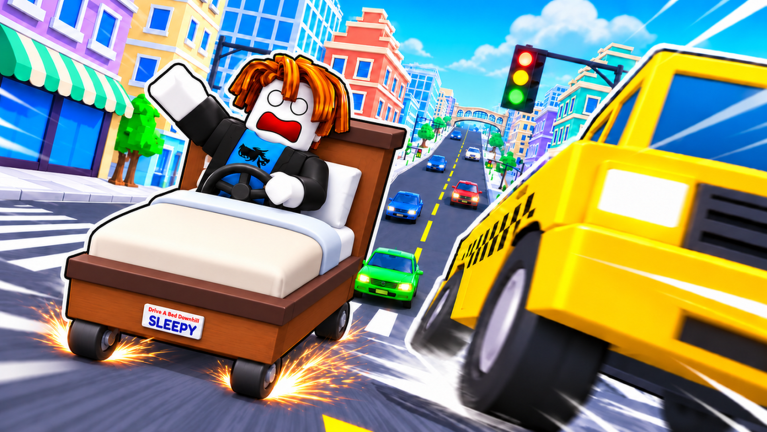
When Drive a Bed Downhill misbehaves, the mountain feels personal. Most issues are boring: stale servers, mistyped codes, overlay conflicts, or a client that needs a fresh join. This troubleshooting guide walks through the failures players hit after the 1 November 2026 launch and the busy mid-to-late November patches, with clear next steps instead of vibes.
Keep codes, how to redeem, controls, and updates open in another tab while you work the list. Treat scripts as a caution lane, not a first fix.
Quick triage (do this first)
- Leave and rejoin a new server—avoid lingering in a stale instance.
- Confirm you are in the official place (
81321308940826/ Bedrotting Drivers), not a lookalike name. - Check device time and Roblox connection; expired sessions break shops and codes.
- Retest one binding from the controls table.
- Skim updates for the same-day patch notes before assuming your bed is “broken forever”.
Code fails / will not redeem
Active promo at time of writing: RELEASE = 375 Cash. There is no long expired list yet, so “dead code” usually means process error, not history.
Checklist:
- Type the code exactly—case and spelling matter.
- Redeem in-game, not on random websites asking for passwords.
- Wait for the HUD Codes UI to finish loading after spawn.
- Already redeemed? Most promos are one-time per account.
- Still failing? Rejoin, then follow how to redeem step by step.
- Verify the string against the Codes Hub before trusting lobby chat.
Never trade account details for “code apply services”.
Controls not responding
PC
- Click back into the Roblox window; overlays steal focus.
- Confirm W / A / D / S / Space / E / Shift / F / C still match controls.
- Disable conflicting browser or desktop macros that bind the same keys.
- If only boost (E) fails, check whether a shop or chat field is focused.
Mobile
- Rotate to landscape and ensure thumbs are not covering multiple buttons.
- Re-learn drift: double tap + hold brake—a single tap is only brake.
- If the whole HUD ignores taps, force-close Roblox and rejoin.
- See mobile tips for thumb maps and performance.
Controller
- Re-pair the pad; confirm Roblox sees it before spawn.
- Test RT gas, LT brake, A hop, RB boost, LB drift, B reset.
- Raise deadzone slightly if steer feels sticky in forests.
Flying off the map / constant wipeouts
This is often skill plus bed choice, not a bug:
- Stop boosting into forest clearings you have not memorized.
- Brake before awkward farm landings.
- Pick canyon landings before leaving the lip.
- In city traffic, drift early—do not pride-boost into NPCs.
Rebuild habits with map and biomes, boost and drift, and a stable frame from the tier list. If physics feel different the same day as a patch, assume a tuning change and re-learn one corner at a time.
Lag, stutter, and rubber-banding
- Prefer wired or strong Wi-Fi for PB attempts.
- Lower graphics on mobile/low-end PCs during city sections.
- Close downloads and overlays.
- Hop servers when concurrent spikes fill all 20 slots with chaos.
- After big updates nights, expect temporary instability; farm Cash later if needed.
Lag makes boost timing lie to you—treat boost as optional until frames stabilize.
Store or Cash not updating
- Finish the run fully; some rewards settle at completion.
- Reopen the shop UI after a few seconds.
- Rejoin if currency display freezes while others still move.
- Confirm a code success toast actually appeared before blaming the balance.
- Avoid spamming purchase clicks; wait for the first response.
If Cash from RELEASE never arrived, revisit redeem steps on how to redeem and the live list on codes.
Stuck in the void / softlocked bed
- Tap F (PC) or B / Circle (controller) for reset-to-road.
- On mobile, find reset in the on-screen set—practice locating it cold.
- If reset does nothing for several seconds, leave the experience and rejoin.
- Do not wait hoping a void crawl becomes a finish—Cash per hour dies there.
Reset discipline is also covered in tips and tricks.
After-patch checklist (print this mentally)
Use this whenever the experience updates (including the late-November refresh window):
- Join a fresh server.
- Retest gas, steer, brake, hop, boost, drift, reset, camera.
- Redeem any new strings; re-confirm
RELEASEstatus on codes. - Take your main bed through one farm lap and one city block.
- Re-validate one known shortcut from map and biomes.
- If you use automation, assume loaders are broken until proven—read scripts cautiously and never as your only plan.
- Skim updates for player-facing notes before rewriting your whole bed budget.
Scripts-related problems (caution)
Third-party executors can cause missing UI, kicked sessions, or worse account outcomes. If trouble started right after injecting a loader:
- Stop the script.
- Full restart Roblox.
- Return to manual controls.
- Do not chase “fixed” pastes from random chat.
This wiki’s scripts hub explains features and risks; it is not a promise of safety.
Wrong game / confused search results
Search results mix Drive a Bed Downhill with cart downhill clones, biking games, Fortnite maps, or unrelated Roblox titles named DRIVE. Confirm creator Bedrotting Drivers, place 81321308940826, and the bed fantasy before applying someone else’s fix list.
Still stuck?
- Favorites and group shoutouts from Bedrotting Drivers sometimes clarify intentional downtime.
- Ask a friend to reproduce on another device—isolates account vs. client issues.
- Document whether the bug is codes, input, physics, or economy so you do not shotgun random “fixes”.
Closing
Most Drive a Bed Downhill blockers clear with a fresh server, verified controls, and honest reset habits. Keep codes accurate via codes, bindings honest via controls, and patch awareness current via updates. Fix the boring layer first—then go finish the mountain.
Frequently Asked Questions
Quick answers for downhill bed racers.
Why will the RELEASE code not redeem?
Confirm spelling, redeem in-game after the HUD loads, and check you have not already claimed it. Verify against the Codes Hub before trusting chat.
What do I do if I am stuck in the void?
Use reset to road (F on PC, B/Circle on controller). If reset fails, leave and rejoin a new server.
Controls stopped working after a patch—now what?
Rejoin fresh, retest every binding from the Controls guide, and close overlays that steal focus. Check the Updates Hub for the same-day notes.
Should I use a script to fix bugs?
No. Scripts add risk and often break after patches. Fix with rejoins, manual controls, and official updates first.